
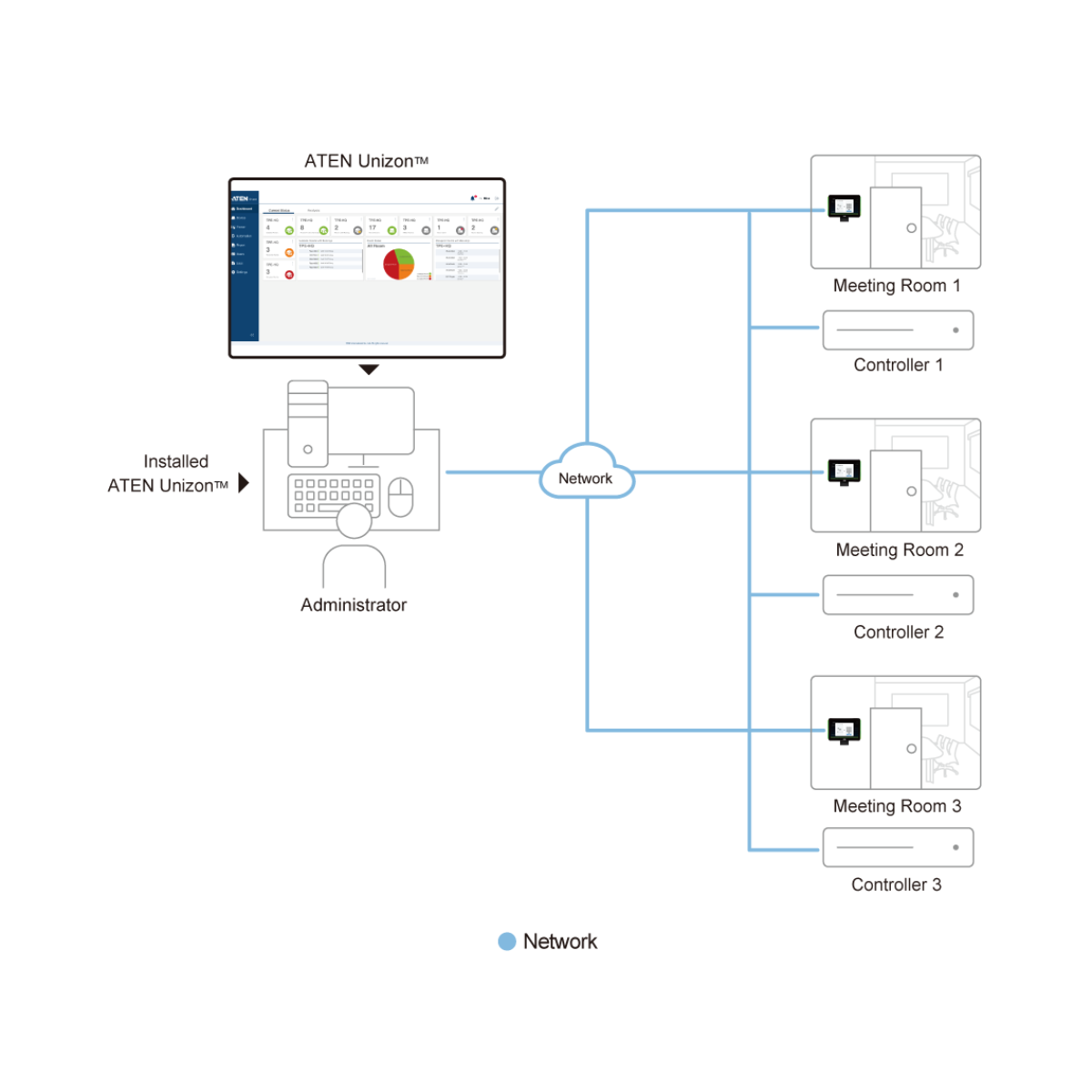
The ATEN Unizon AV Platform is a powerful server-based software solution designed for centralized monitoring, control, and management of professional AV and IT environments. It enables organizations to remotely manage ATEN Video Matrix Switches, Room Booking Systems, Control System Controllers, and compatible third-party devices through a single intuitive management platform.
Designed for large-scale AV deployments, the ATEN Unizon AV Platform provides real-time visibility into connected devices, allowing administrators to monitor system status, perform remote troubleshooting, schedule maintenance, and automate daily operations. Whether managing a single office or multiple global locations, the platform simplifies AV infrastructure management while improving operational efficiency.
The ATEN Unizon AV Platform supports centralized monitoring of device health, including projector lamp hours, connection status, firmware versions, and other operational information. Administrators can remotely control devices, execute batch firmware upgrades, and quickly identify system issues before they affect business operations.
Its intuitive user interface features a five-level deployment tree, room view, and floor view, making it easy to organize and manage hundreds of meeting rooms and AV systems across multiple buildings or campuses. Flexible user permissions ensure that administrators can assign access rights based on organizational roles and responsibilities.
Automation is another key strength of the ATEN Unizon AV Platform. Predefined scenarios and scheduled tasks allow organizations to automate meeting room operations, including powering displays, lighting, air conditioning, and other connected devices. By integrating with the ATEN Control System and Room Booking System, the platform delivers a seamless smart meeting room experience.
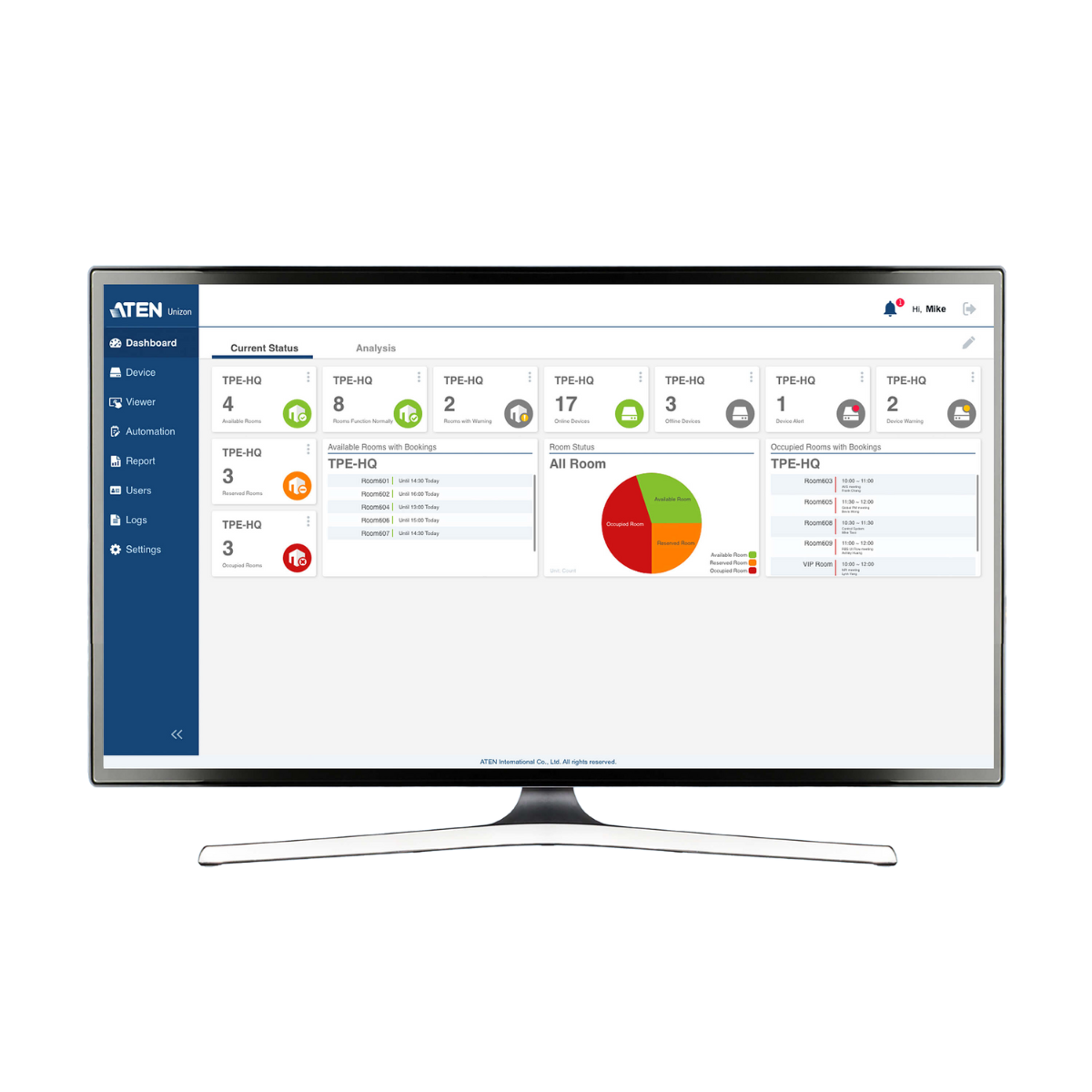
The built-in dashboard provides real-time system monitoring alongside historical analytics, enabling administrators to optimize device usage, improve maintenance planning, and generate scheduled reports. Comprehensive event logs, notifications, and email alerts help IT teams respond quickly to abnormal events while supporting long-term operational analysis.
Key Features
- Centralized monitoring, control, and management of ATEN AV solutions.
- Supports ATEN Video Matrix Switches, Room Booking Systems, and Control System Controllers.
- Integrates compatible third-party devices such as projectors, lighting systems, and AV equipment.
- Real-time device status monitoring for proactive maintenance.
- Remote device control and batch firmware upgrades.
- Five-level deployment tree for large-scale AV infrastructure management.
- Room view and floor view for simplified monitoring.
- Configurable user roles and access permissions.
- Predefined automation scenarios and scheduled tasks.
- Smart meeting room automation through ATEN Control System integration.
- Dashboard with live status monitoring and historical analytics.
- Scheduled reporting for maintenance planning and optimization.
- Centralized user profile management.
- Event logging, notifications, and email alerts.
- Compatible with major web browsers.
- Flexible licensing based on the number of managed devices.